One of the biggest challenges of building your own home lab is how to access self-hosted apps remotely (like immich and Jellyfin) and securely. Traditionally, this requires exposing services to the public internet, which introduces security risks.
Tailscale solves this by creating a private network between your devices (called a tailnet). Once your server and client devices are part of the same tailnet, you can access services using private IP addresses or DNS names as if you were on the same LAN.
A short summary of the benefits:
- Unlimited devices and up to 6 Users
- No need to open ports on your router
- Encrypted end-to-end communication
- Simple device-based authentication
- Seamless access to web apps, SSH, or APIs
Create a Tailscale account
To create an account in Tailscale you will need an existing Google, Microsoft, GitHub or Apple, as they only offer authentication from those providers. You can initiate the procedure from here
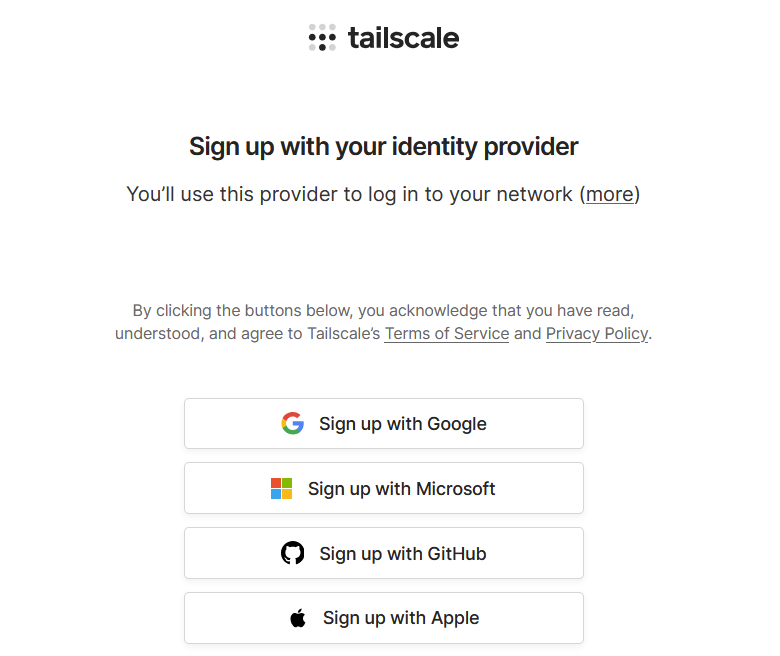
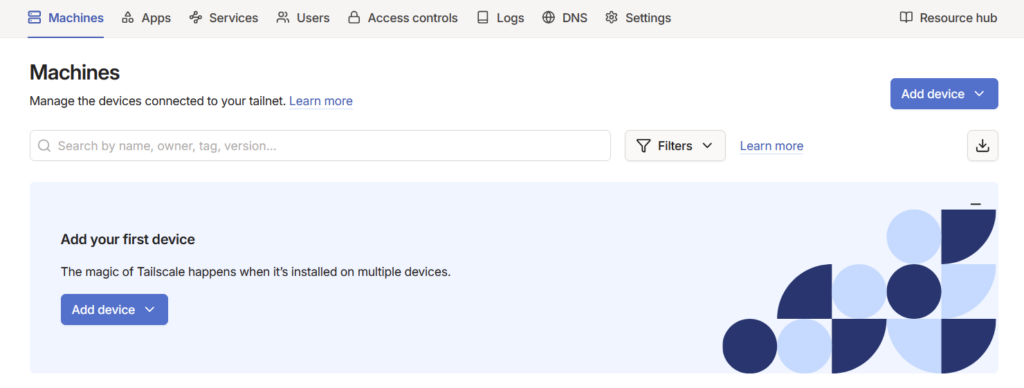
After you log it an account will be created for your tailnet and you will see the main dashboard. No need to do anything else.
Installing Tailscale on linux
Installing Tailscale on your linux server is straightforward and usually requires just a few commands.
#Run the official install script
curl -fsSL https://tailscale.com/install.sh | sh
#Bring Device Online
sudo tailscale up
After running this command, a URL will be displayed. Open it in your browser and log in to your Tailscale account to authenticate the device.
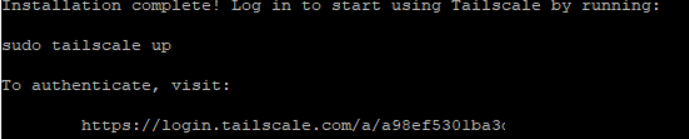
For servers without a browser, you can use another device to open this link or an Auth key
#Use this only if your server has no browser and you have no other devices
#Keys can be generated in Tailscale Settings here
sudo tailscale up --authkey=YOUR_AUTH
You should now see it in the Tailscale UI
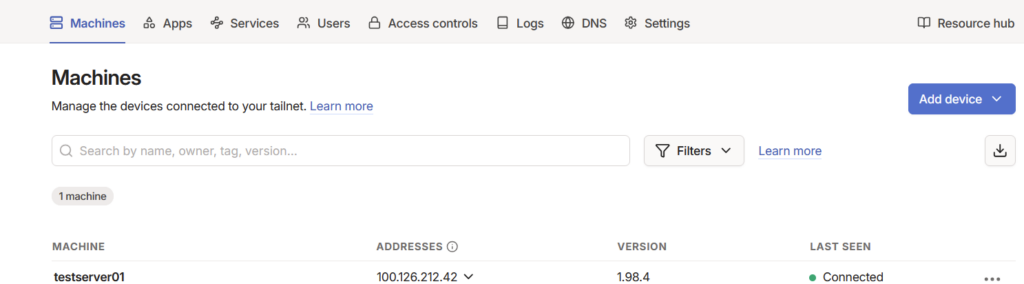
Verify the connectivity also on the linux server
tailscale status
tailscale ip
Once connected, your device will receive a private Tailscale IP address that other authorised devices can use
Installing Tailscale on a mobile device
Tailscale is also available for mobile platforms such as iOS and Android, allowing you to securely access your self-hosted services from anywhere. The easiest way to simulate external network is to use your iOS/Android phone mobile internet to connect to your self-hosted applications.
- Install the App Tailscale from Apple Store or Google Play
- Sign in with the account you created for Tailscale (e.g. Google, Microsoft, GitHub)
- Accept the prompts to install a VPN configuration
Once signed in, your mobile device becomes part of your tailnet, just like your Linux server. After this step, your mobile device can communicate with all authorised devices (at the moment that is only your linux server)
Accessing your self-hosted apps remotely
Now that both your phone and linux server are part of one tailnet, you can access everything on the server from your client device (your phone) using either the newly generated ip or DNS name, visible in the Tailscale console. It will work across both browsers and all mobile apps of self hosted services (like immich and Jellyfin). Don’t forget to add the port number, as otherwise it will not work
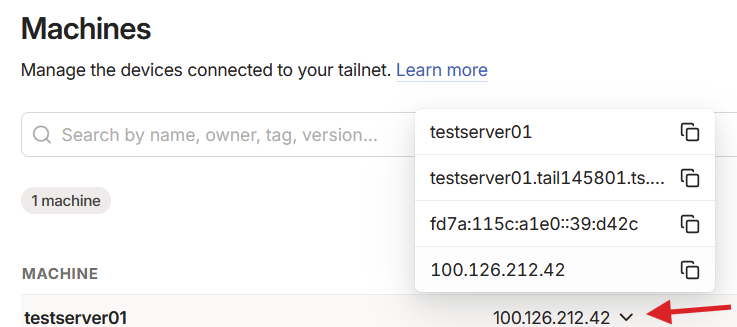
Example URL to access self-hosted applications:
immich
http://testserver01.tail145801.ts.net:2283
Jellyfin
http://testserver01.tail145801.ts.net:8096
Port is important as always – :2283 for immich and 8096 for Jellyfin
Keep in mind that the Tailscale access usually expires after 6 months and needs to be re-authenticated, unless your specifically disable the key expiry as shown in this guide
Conclusion
Tailscale provides a simple yet powerful way to securely access self-hosted services from anywhere. Its zero-configuration approach, combined with strong encryption and identity-based access, makes it an ideal solution for personal home environments.
With quick installation on your server and your devices, you can build a private, secure network in minutes and access your infrastructure as if you were locally connected.